사내 npm 개발기
배포 없이 기능을 켜고 끄기 위해 사내 피처 플래그를 npm 패키지로 만든 기록

배포없이 기능 적용하는 것이 필요하다!
QA까지 문제없다가 PR에서 터져버린 서비스
QA까지 문제가 없던 기능이 배포 뒤에 터졌다. 얽혀 있는 마이그레이션이 많아 롤백도 쉽지 않은 상황이었다.
피처 플래그, 해답이 될 수 있을까?
이 일을 겪고 나니 배포 없이도 기능을 껐다 켤 수 있는 환경이 필요하다는 이야기가 나왔다. 안전한 배포뿐 아니라 A/B 테스트에도 쓸 수 있는 장치였다.
이미 나와 있는 서비스를 쓰지 않고 직접 만들기로 한 데에는 세 가지 이유가 있었다.
- 비용 — 기업이 쓰려면 유료 플랜을 제시하는 경우가 있다
- 확장 — 조금만 더 발전시키면 A/B 테스트나 로깅 같은 부가 이벤트를 붙여 사내 마케팅 도구로 쓸 수 있다
- 팀의 목표와 부합 — 제품들의 마케팅 기술 기반을 마련하는 일이었다
초기 기획과 고객 가치
초기 기획
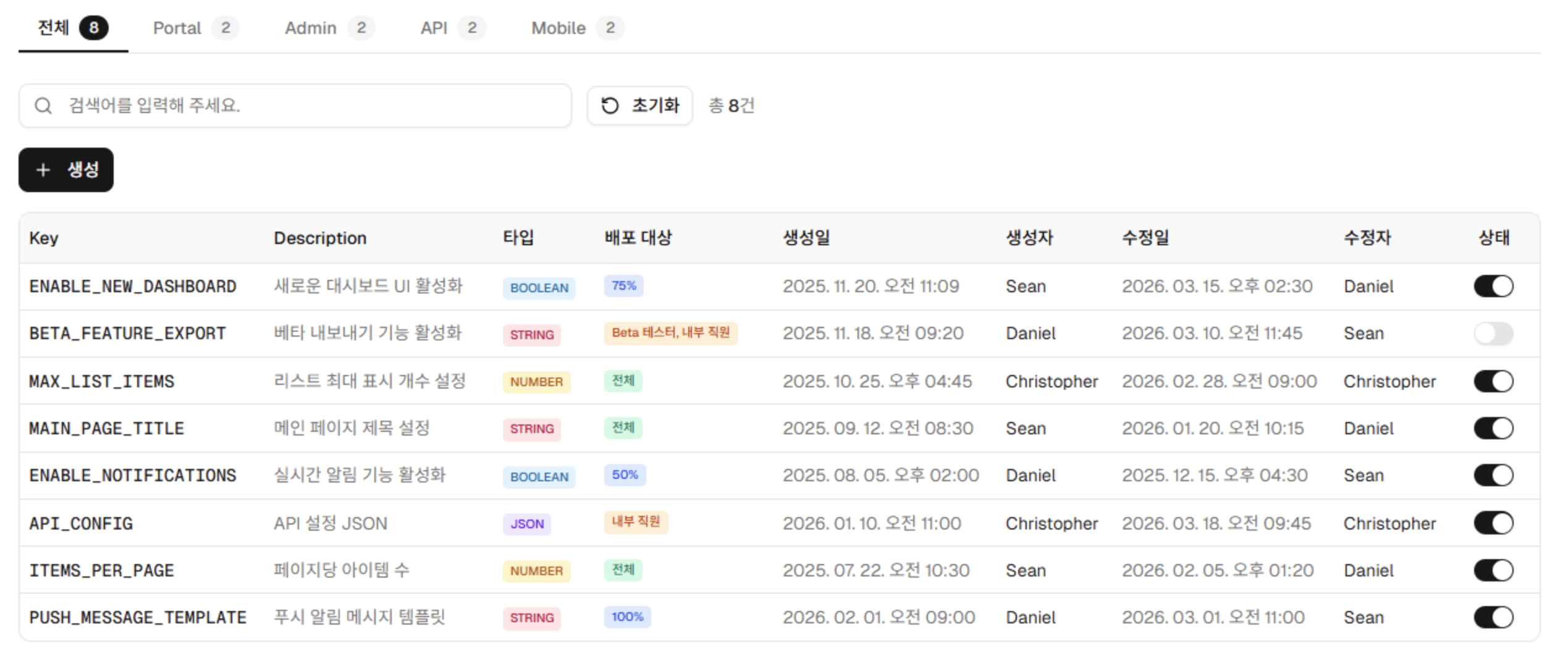
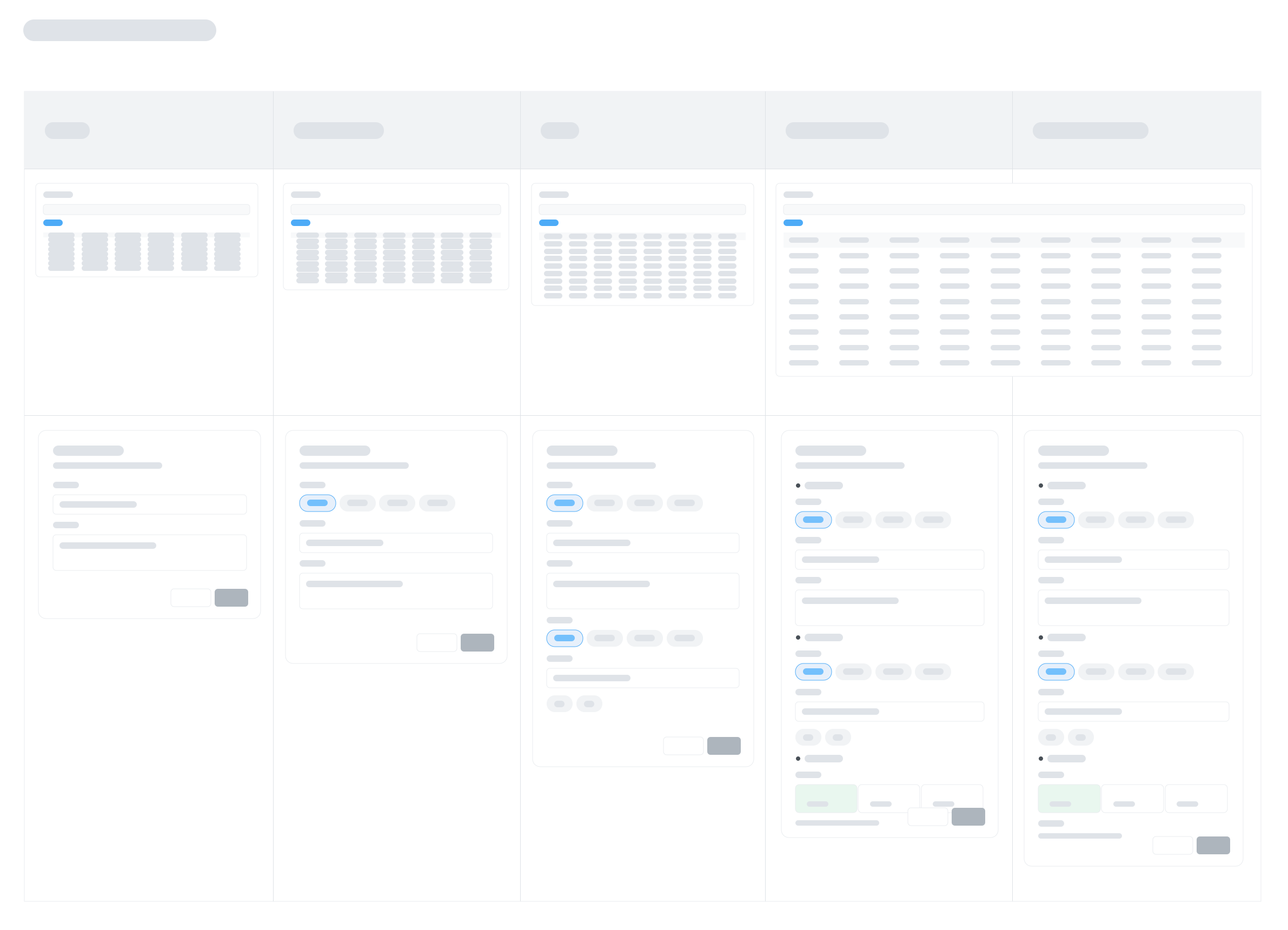
고객 가치 - 이 작업의 고객은 사용자가 아닌 개발자
고객을 먼저 정한 이유는, 앞으로 이어질 수많은 의사결정에서 기준을 확보하기 위해서였다. 이 작업의 고객은 서비스 사용자가 아니라 사내 개발자였고, 사내 개발자들이 많이 사용하기를 바라는 것이 이 작업의 고객 가치였다.
설계 결정
s3 vs api : 빠른 반응성 vs 확장 가능성
- s3를 이용할 경우
- 빠른 응답으로 즉각적으로 사용자에게 제공 - 최소한의 지연시간
- 데이터만 가지고 있어서 연산은 프론트에서 처리해야함 - 확률 같은
- api를 사용할 경우
- 유저정보를 활용할 수 있어 추후 다양한 부가기능 추가에 유리
- 서버 통신시간동안 지연이 발생
결국 마케팅 도구로의 성장을 바라봤고, 매번 호출하기보다 캐싱해서 지연 시간을 없애는 것이 보편적인 방법이라 s3의 장점이 약해졌다. 그래서 api로 만들기로 했다.
더 편한 사용을 위해 npm을 고민
- api로 만들었지만 데이터요청, 캐싱, 보일러플레이트를 줄일 npm 개발
- 복잡한 설정이나 이해 과정 없이, 직관적이고 단순하고 익숙한 인터페이스 목표
- 이미 제공하고 있는 피처플래그 서비스들과 sdk 제공방식을 참고
// 라이브러리 초기화 단계
const flagInstance = createInstance({
  apiHost: "https://cdn.our-company.com/flags",
  clientKey: "production-key",

  // 핵심: 플래그가 평가될 때마다 실행되는 콜백 함수
  onTracking: (flagKey, variationValue) => {
    // 자체 DB로 보내는 대신, 기존의 GTM dataLayer나 Amplitude로 이벤트를 쏴줍니다.
    window.dataLayer = window.dataLayer || [];
    window.dataLayer.push({
      event: 'feature_flag_exposure',
      flag_key: flagKey,             // 예: 'new-checkout-button'
      variation: variationValue,     // 예: 'true', 'red', 1 등
      user_id: currentUser.id
    });
  }
});
// 라이브러리 초기화 단계
const flagInstance = createInstance({
apiHost: "https://cdn.our-company.com/flags",
clientKey: "production-key",
// 핵심: 플래그가 평가될 때마다 실행되는 콜백 함수
onTracking: (flagKey, variationValue) => {
// 자체 DB로 보내는 대신, 기존의 GTM dataLayer나 Amplitude로 이벤트를 쏴줍니다.
window.dataLayer = window.dataLayer || [];
window.dataLayer.push({
event: 'feature_flag_exposure',
flag_key: flagKey, // 예: 'new-checkout-button'
variation: variationValue, // 예: 'true', 'red', 1 등
user_id: currentUser.id
});
}
});-
초기버전 사용예시 - 실제 사용할때 어떤 문제가 있을까?
import { FeatureFlag } from "feature-flag";

const ff = new FeatureFlag({ endpoint: "https://example.com/api/v1" });

// 앱 진입 시 최초 1회 호출
await ff.init();

// 특정 플래그 값 조회
const isEnabled = ff.get("ENABLE_NEW_HERO", false);
const welcomeMsg = ff.get("WELCOME_MESSAGE", "");
const price = ff.get("ITEM_PRICE", 0);

// 전체 플래그 조회
const allFlags = ff.getAll();
// { ENABLE_NEW_HERO: true, WELCOME_MESSAGE: "안녕하세요!", ITEM_PRICE: 15 }

// 플래그 갱신
await ff.refresh();
import { FeatureFlag } from "feature-flag"; const ff = new FeatureFlag({ endpoint: "https://example.com/api/v1" }); // 앱 진입 시 최초 1회 호출 await ff.init(); // 특정 플래그 값 조회 const isEnabled = ff.get("ENABLE_NEW_HERO", false); const welcomeMsg = ff.get("WELCOME_MESSAGE", ""); const price = ff.get("ITEM_PRICE", 0); // 전체 플래그 조회 const allFlags = ff.getAll(); // { ENABLE_NEW_HERO: true, WELCOME_MESSAGE: "안녕하세요!", ITEM_PRICE: 15 } // 플래그 갱신 await ff.refresh();https://ko.react.dev/reference/react/useSyncExternalStore#usage
-
초기버전 소스코드
import { createLoader, fetchFlags } from "./core/fetcher.js";
import { getAllValues, getValue } from "./core/reader.js";

class FeatureFlag {
  #endpoint;
  #cache = null;
  #load;

  #isReady() {
    if (!this.#cache) {
      console.error("FeatureFlag: call init() first.");
      return false;
    }
    return true;
  }

  constructor({ endpoint }) {
    this.#endpoint = endpoint;
    this.#load = createLoader(async () => {
      const flags = await fetchFlags(this.#endpoint);
      if (flags) this.#cache = Object.freeze(flags);
      return flags !== null;
    });
  }

  async init() {
    this.#cache = null;
    return this.#load();
  }

  async refresh() {
    return this.#load();
  }

  getAll() {
    if (!this.#isReady()) return {};
    return getAllValues(this.#cache);
  }

  get(key, defaultValue) {
    if (!this.#isReady()) return defaultValue;
    return getValue(this.#cache, key, defaultValue);
  }
}

export { FeatureFlag };
import { createLoader, fetchFlags } from "./core/fetcher.js"; import { getAllValues, getValue } from "./core/reader.js"; class FeatureFlag { #endpoint; #cache = null; #load; #isReady() { if (!this.#cache) { console.error("FeatureFlag: call init() first."); return false; } return true; } constructor({ endpoint }) { this.#endpoint = endpoint; this.#load = createLoader(async () => { const flags = await fetchFlags(this.#endpoint); if (flags) this.#cache = Object.freeze(flags); return flags !== null; }); } async init() { this.#cache = null; return this.#load(); } async refresh() { return this.#load(); } getAll() { if (!this.#isReady()) return {}; return getAllValues(this.#cache); } get(key, defaultValue) { if (!this.#isReady()) return defaultValue; return getValue(this.#cache, key, defaultValue); } } export { FeatureFlag };
완성
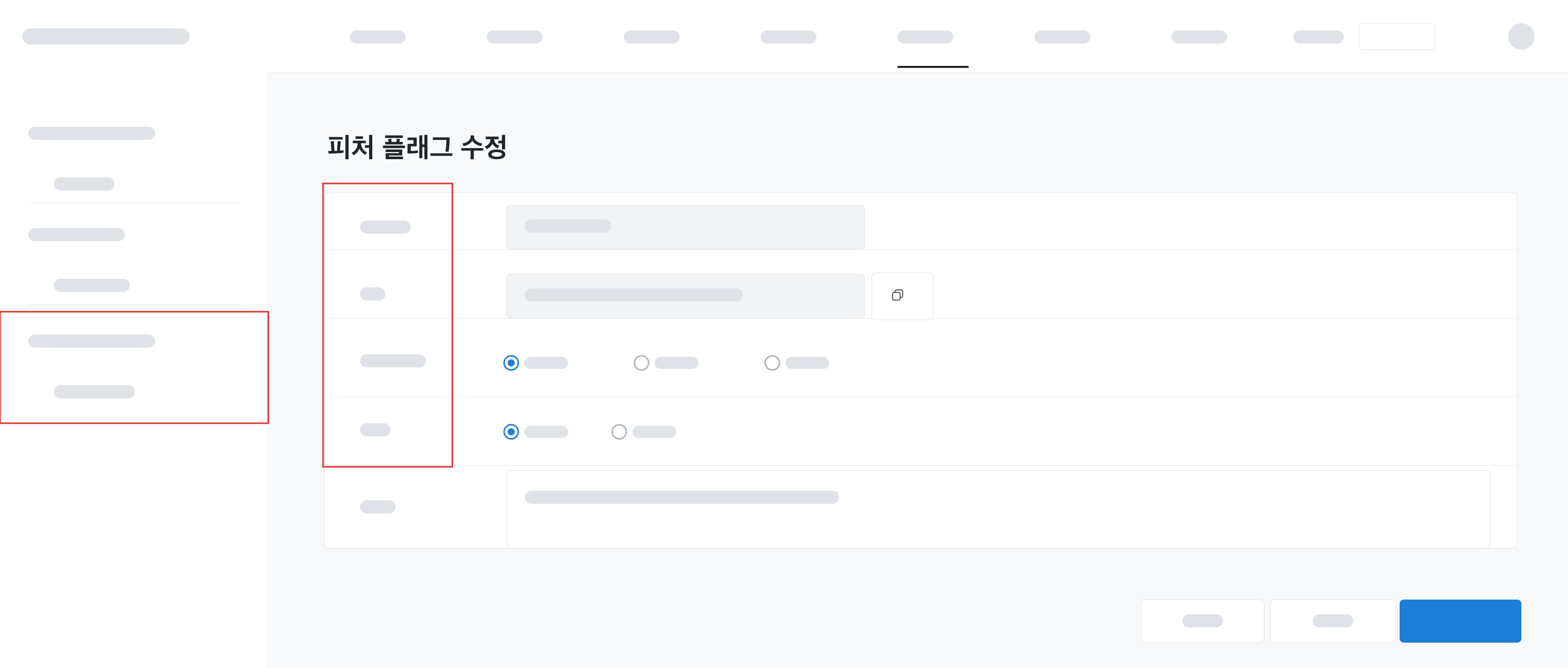
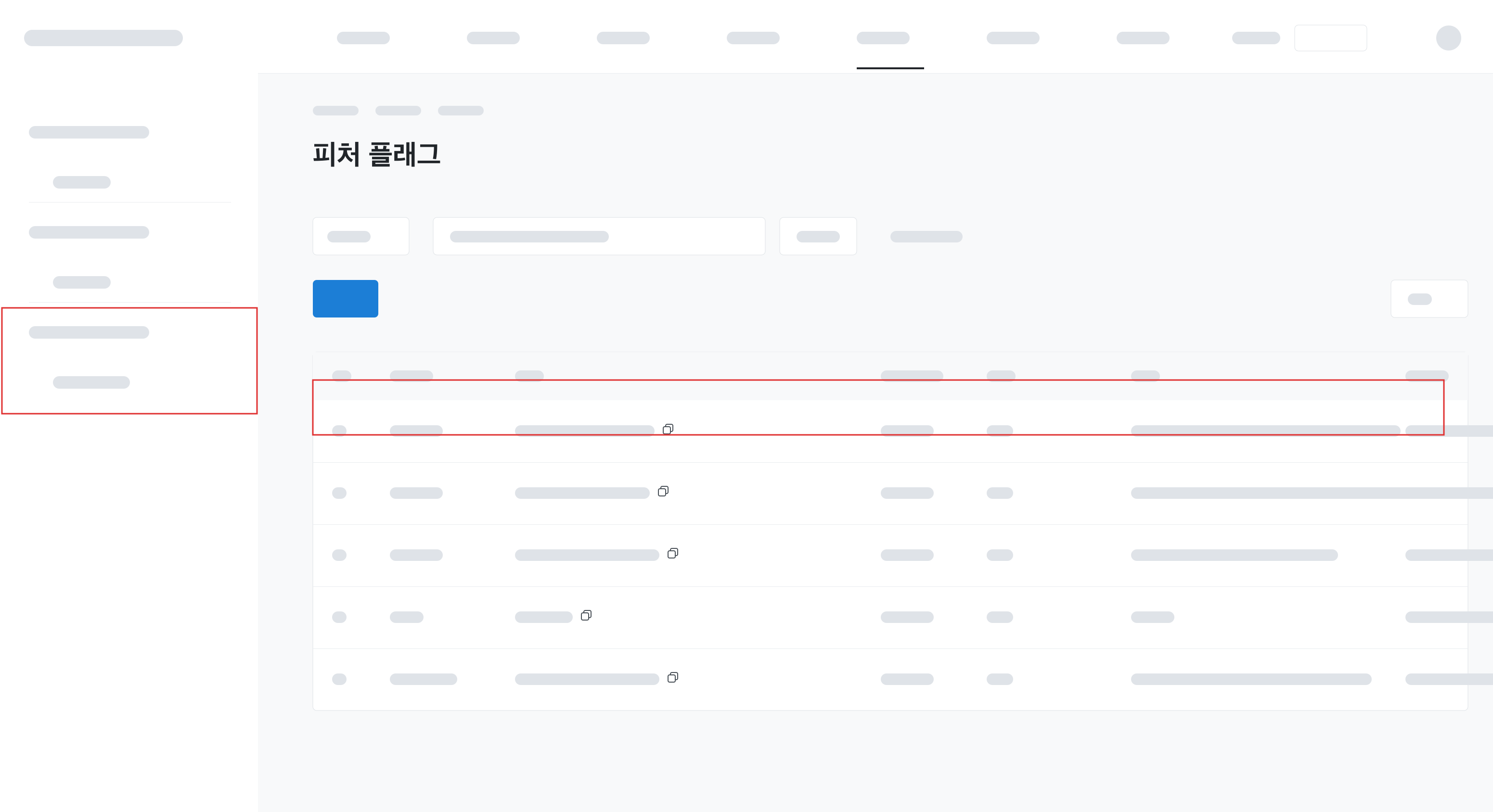
관리자 화면에서 플래그를 만들고 값을 켜고 끄면, 각 제품이 npm 패키지로 그 값을 읽어 가는 형태로 완성했다.
서비스가 터지면 안 되니까
휴먼 에러 방어하기
const isEnabled = ff.get("ENABLE_NEW_HERO", false);const isEnabled = ff.get("ENABLE_NEW_HERO", false);- 개발자의 실수 방어하기
- 플래그 키를 잘못 설정
- 값을 잘못 변경하거나 플래그를 실수로 삭제할 경우
- 피처 플래그 때문에 멀쩡한 프로덕트 화면이 터지는 대참사를 막아야 함
그래서 값을 읽는 순서를 db 데이터 → 사용자가 넘긴 기본값 → npm의 기본값 → 콘솔 에러로 두어, 어느 단계가 비어도 화면은 살아 있도록 했다.
Code gen을 통한 IDE 타입지원이 정말 편할까?
FLAG.SHOW_MAIN_BANNERFLAG.SHOW_MAIN_BANNER- 강력한 타입 추론을 제공하기 위해 Code Gen(코드 자동 생성) 도입 시도
- 하지만 세팅을 위해 동료들이 복잡한 경로와 엔드포인트를 직접 설정해야 하는 허들 발생
- 들인 수고에 비해 얻는 가치가 미미하다고 판단, 과감하게 제거
import { parseArgs } from 'node:util';
import { writeFileSync, mkdirSync } from 'node:fs';
import { resolve, dirname } from 'node:path';

function parseCliArgs() {
  const [subcommand, ...rest] = process.argv.slice(2);

  if (subcommand !== 'sync') {
    console.error('Usage: feature-flag sync --endpoint <url> --out <path> [--env <ENV_VAR>]');
    process.exit(1);
  }

  const { values } = parseArgs({
    args: rest,
    options: {
      endpoint: { type: 'string' },
      out: { type: 'string' },
      env: { type: 'string' },
    },
  });

  if (!values.endpoint || !values.out) {
    console.error('--endpoint와 --out은 필수입니다.');
    process.exit(1);
  }

  return values;
}

async function fetchFlags(endpoint) {
  const res = await fetch(`${endpoint}/feature-flag`);
  if (!res.ok) {
    console.error(`fetch 실패: ${res.status}`);
    process.exit(1);
  }
  const data = await res.json();
  return data.flags;
}

function buildFileContent({ flags, endpoint, outPath, env }) {
  const flagKeys = Object.keys(flags);
  const isTs = outPath.endsWith('.ts');

  const flagsBody = flagKeys.map(key => `  ${key}: '${key}',`).join('\n');
  const typeExport = isTs ? '\nexport type FlagKey = keyof typeof FLAGS;\n' : '';
  const endpointValue = env ? `process.env.${env}` : `'${endpoint}'`;
  const syncCommand = `npx feature-flag sync --endpoint ${endpoint} --out ${outPath}${env ? ` --env ${env}` : ''}`;

  return [
    `// ⚠️ 자동 생성된 파일입니다. 직접 수정하지 마세요.`,
    `// 갱신: ${syncCommand}`,
    ``,
    `import { FeatureFlag } from 'feature-flag';`,
    ``,
    `export const FLAGS = {`,
    flagsBody,
    `} as const;`,
    typeExport,
    `export const ff = new FeatureFlag({ endpoint: ${endpointValue} });`,
    ``,
  ].join('\n');
}

async function main() {
  const { endpoint, out, env } = parseCliArgs();

  const flags = await fetchFlags(endpoint);

  const content = buildFileContent({ flags, endpoint, outPath: out, env });

  const outPath = resolve(process.cwd(), out);
  mkdirSync(dirname(outPath), { recursive: true });
  writeFileSync(outPath, content, 'utf-8');

  console.log(`✓ ${out} 생성 완료 (${Object.keys(flags).length}개 플래그)`);
}

main();
import { parseArgs } from 'node:util';
import { writeFileSync, mkdirSync } from 'node:fs';
import { resolve, dirname } from 'node:path';
function parseCliArgs() {
const [subcommand, ...rest] = process.argv.slice(2);
if (subcommand !== 'sync') {
console.error('Usage: feature-flag sync --endpoint <url> --out <path> [--env <ENV_VAR>]');
process.exit(1);
}
const { values } = parseArgs({
args: rest,
options: {
endpoint: { type: 'string' },
out: { type: 'string' },
env: { type: 'string' },
},
});
if (!values.endpoint || !values.out) {
console.error('--endpoint와 --out은 필수입니다.');
process.exit(1);
}
return values;
}
async function fetchFlags(endpoint) {
const res = await fetch(`${endpoint}/feature-flag`);
if (!res.ok) {
console.error(`fetch 실패: ${res.status}`);
process.exit(1);
}
const data = await res.json();
return data.flags;
}
function buildFileContent({ flags, endpoint, outPath, env }) {
const flagKeys = Object.keys(flags);
const isTs = outPath.endsWith('.ts');
const flagsBody = flagKeys.map(key => ` ${key}: '${key}',`).join('\n');
const typeExport = isTs ? '\nexport type FlagKey = keyof typeof FLAGS;\n' : '';
const endpointValue = env ? `process.env.${env}` : `'${endpoint}'`;
const syncCommand = `npx feature-flag sync --endpoint ${endpoint} --out ${outPath}${env ? ` --env ${env}` : ''}`;
return [
`// ⚠️ 자동 생성된 파일입니다. 직접 수정하지 마세요.`,
`// 갱신: ${syncCommand}`,
``,
`import { FeatureFlag } from 'feature-flag';`,
``,
`export const FLAGS = {`,
flagsBody,
`} as const;`,
typeExport,
`export const ff = new FeatureFlag({ endpoint: ${endpointValue} });`,
``,
].join('\n');
}
async function main() {
const { endpoint, out, env } = parseCliArgs();
const flags = await fetchFlags(endpoint);
const content = buildFileContent({ flags, endpoint, outPath: out, env });
const outPath = resolve(process.cwd(), out);
mkdirSync(dirname(outPath), { recursive: true });
writeFileSync(outPath, content, 'utf-8');
console.log(`✓ ${out} 생성 완료 (${Object.keys(flags).length}개 플래그)`);
}
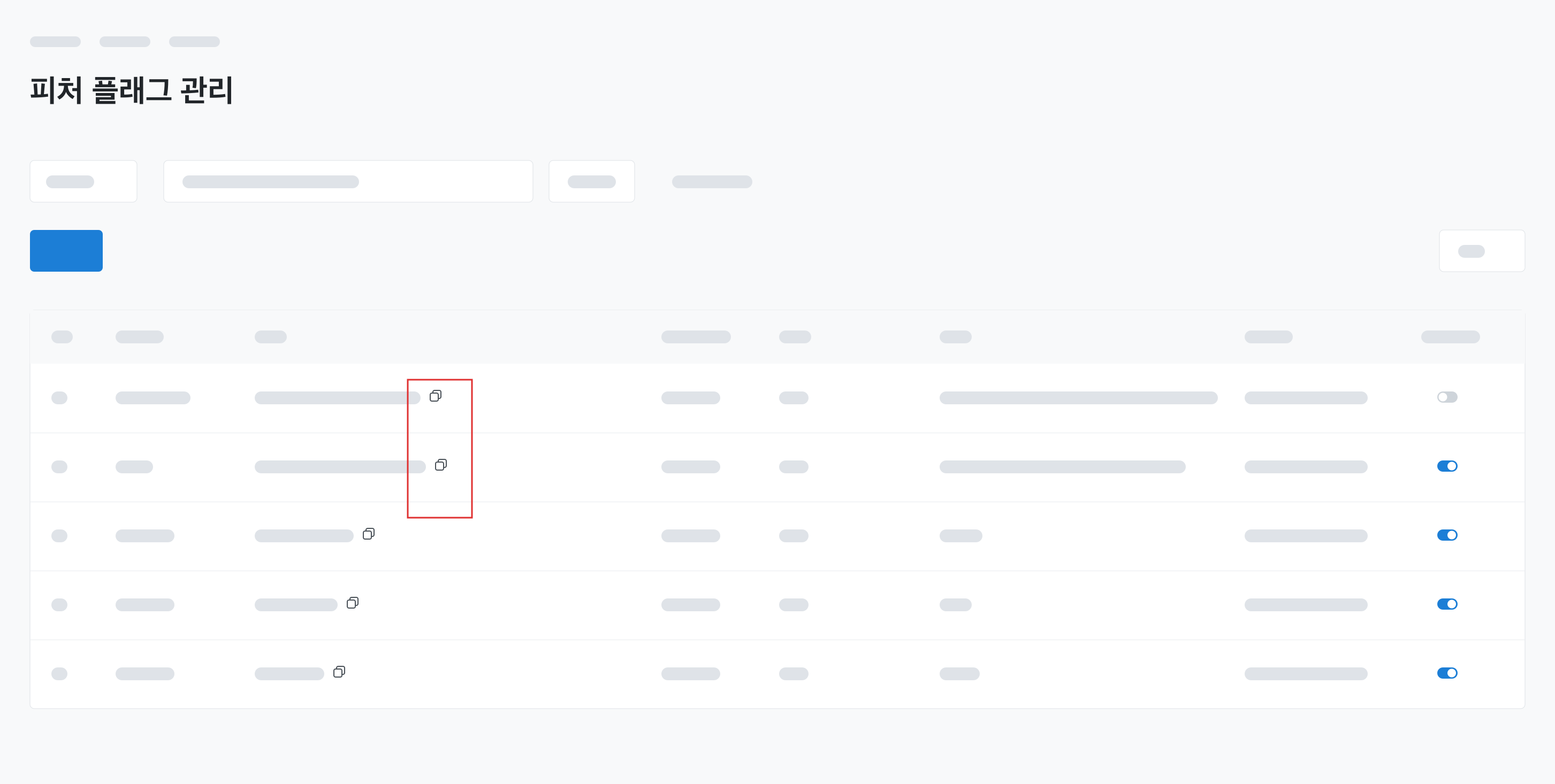
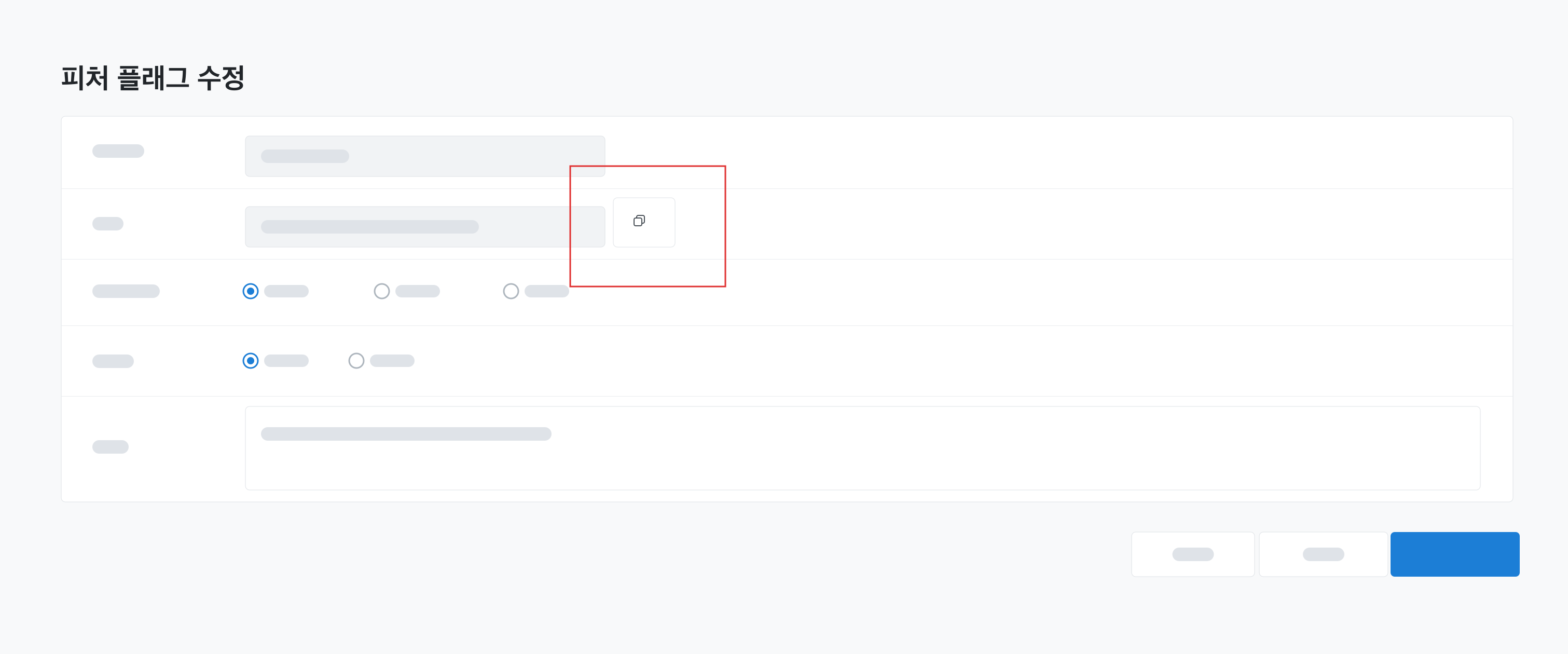
main();대안으로 키 복사버튼 제공
베타버전 완성후 사용자 플로우 테스트
베타버전을 놓고 실제 사용 흐름을 따라가 보니, 너무 기본적인 기능만 제공하다 보니 없느니만 못한 물건이 되어 있었다. 어디서도 쓸 수 있지만 어디서도 쓸 이유가 없는 상태였다.
첫 버전에서 npm을 포기하다
정말 개발자들이 쓰기 편한가를 다시 물었고, 첫 버전에서는 npm 배포를 접기로 했다.
- 사내 백엔드 SDK 환경(api-gen 등)이 이미 잘 구축되어 있었다
- 패키지 자체의 로직이 아직 단순했고, 무엇보다 빠른 사내 도입, 즉 출시 시점이 중요했다
- npm이 정말 개발자들을 위한 것인가를 따져 보니, 아직은 내 기술 역량 강화의 목적이 더 컸다
그럼에도 불구하고 : 우리팀의 종속성 만들기
그렇다고 npm을 영영 접을 생각은 아니었다. 지금 쓰이지 않는 이유가 패키지가 주는 가치가 얇기 때문이라면, 가치를 두껍게 만들면 될 일이었다.
어떻게 npm 패키지의 가치를 높일 것인가?
-
더 쉬운 사용
- npm으로 컴포넌트 제공
// src/app/layout.tsx (Server Component)
import { FeatureFlagProvider } from 'feature-flag/react-server';

export default async function RootLayout({ children }) {
  return (
    <FeatureFlagProvider>
      <App />
    </FeatureFlagProvider>
  );
}
// src/app/layout.tsx (Server Component) import { FeatureFlagProvider } from 'feature-flag/react-server'; export default async function RootLayout({ children }) { return ( <FeatureFlagProvider> <App /> </FeatureFlagProvider> ); }import { Feature } from 'feature-flag/react-client'; export function Dashboard() { return ( <main> <h1>대시보드</h1> <Feature flag="NEW_DASHBOARD_UI" loadingFallback={<SkeletonDashboard />} fallback={<OldDashboard />} > <NewDashboard /> </Feature> </main> ); }import { Feature } from 'feature-flag/react-client'; export function Dashboard() { return ( <main> <h1>대시보드</h1> <Feature flag="NEW_DASHBOARD_UI" loadingFallback={<SkeletonDashboard />} fallback={<OldDashboard />} > <NewDashboard /> </Feature> </main> ); } -
더 편리한 환경
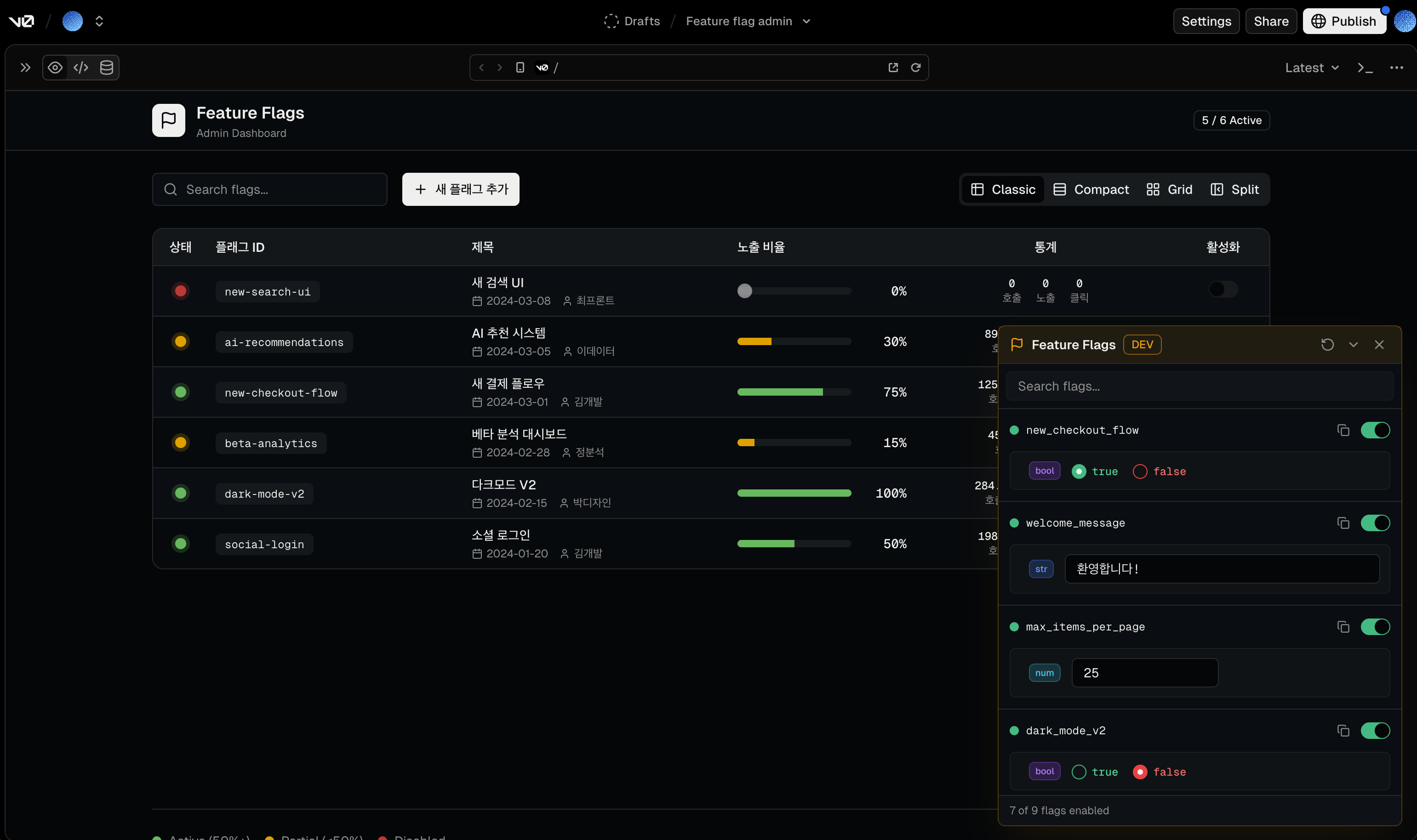
- devtools 제공 https://v0.app/chat/feature-flag-admin-lxRxhZQrgIe
- 로컬 개발 시 화면에 띄워진 UI를 통해 클릭 몇 번으로 플래그 상태를 조작하고 테스트할 수 있는 환경 지원
둘은 트레이드오프가 분명했다.
- npm 배포 방식은 버전이 고정되어 안정적이지만, 빠른 변경에는 대응할 수 없다
- s3 스크립트 방식은 파일을 내려받아 실행하는 구조라 파일 로드에 미세한 지연이 있는 대신, 실시간 코드 변경 반영이 가능하다. 다만 트리 셰이킹이 안 될 수 있다
그래서 둘을 섞는 하이브리드 방식도 있다. npm 패키지 안에 스크립트를 넣고, 필요한 코드를 경로로 쪼개 그 경로 안에 스크립트를 두는 식이다.
<!-- 최신 버전 사용 -->
<script src="https://cdn.example.com/tracking-sdk/latest/index.global.js"></script>

<!-- 특정 버전 사용 -->
<script src="https://cdn.example.com/tracking-sdk/0.1.0/index.global.js"></script>

// NPM 모듈로 사용할 경우
import { createTracker } from 'tracking-sdk/setting';

// CDN으로 사용할 경우 전역 객체로 접근
Tracking.createTracker();
<!-- 최신 버전 사용 -->
<script src="https://cdn.example.com/tracking-sdk/latest/index.global.js"></script>
<!-- 특정 버전 사용 -->
<script src="https://cdn.example.com/tracking-sdk/0.1.0/index.global.js"></script>
// NPM 모듈로 사용할 경우
import { createTracker } from 'tracking-sdk/setting';
// CDN으로 사용할 경우 전역 객체로 접근
Tracking.createTracker();스크립트 방식은 퍼블리싱 사이트나 리액트를 쓰지 않는 곳에 주로 쓴다.
마무리
이번 작업에서 가장 크게 남은 건, 내가 얼마나 만들었는지가 판단 기준이 아니라는 점이다.
npm 패키지는 시간을 들여 직접 설계하고 구현한 것이었다. 그래서 막상 걷어낼 때는 아까웠다. 하지만 기준을 내 노력에 두지 않고 실제로 쓸 개발자에게 두자 답은 분명했다. 이 패키지가 그들에게 가치를 주는가, 이걸 쓰는 게 정말 편한가. 이미 사내 SDK 환경이 잘 갖춰져 있고 패키지가 주는 것이 얇은 상황에서, 답은 아니었다.
그래서 첫 버전에서 내 코드를 걷어냈고, 지금도 잘한 선택이라고 생각한다. 만들었다는 이유로 남겨 두었다면 동료들에게는 쓸 이유가 없는 선택지가 하나 더 늘었을 뿐이다.